Choosing the right controller can transform your gaming experience especially if you have smaller hands. Standard controllers are often designed with a “one-size-fits-all” mindset, which can leave players with petite grips feeling fatigued, stretched, or awkward during long sessions. In 2026, the market offers a range of PC-compatible controllers that balance ergonomics, build quality, and responsiveness without sacrificing performance. This guide explores the best options available, the key features to consider, and expert tips for finding a controller that feels like it was made for you.
Why Controller Ergonomics Matter
1. Comfort Over Long Sessions
Gaming sessions can run for hours, and poorly fitting controllers can lead to cramping, discomfort, and loss of precision. Controllers designed with smaller hands in mind reduce strain on the fingers and wrists, enabling longer, more enjoyable gameplay.
2.Improved Control and Accuracy
Smaller hands benefit from shorter trigger pulls, closer stick positioning, and compact layouts that enable faster reactions. When buttons and sticks are easier to reach, performance improves particularly in competitive titles.
3. Inclusive Gaming Design
Ergonomic design isn’t just about size; it’s about accessibility. Controllers that accommodate a wider range of hand sizes make gaming more inclusive for everyone, regardless of age or dexterity.
Key Features to Look For
➡️Compact Grip and Shell Design
Controllers with a tighter grip circumference and shallower shell ensure smaller hands can wrap around the controller comfortably. Look for models explicitly labeled as “compact,” “slim,” or “small hands friendly.”
➡️Button and Analog Stick Placement
The distance between analog sticks, triggers, bumpers, and face buttons affects reachability. Controllers with minimal spacing allow for faster thumb movement and fewer finger stretches.
➡️Trigger Sensitivity and Travel
Shorter trigger travel is easier to manage for those with petite hands. Adjustable triggers and programmable sensitivity provide further customization based on personal comfort and playstyle.
➡️Weight and Balance
Heavy controllers can tire the hands over time, especially if the weight distribution isn’t balanced. Lightweight controllers with balanced design reduce fatigue and feel more natural during extended play.
➡️Grip Texture and Material
Textured grips improve hold and prevent slips, while rubberized coatings can add comfort. Choose materials that feel good in the hand and don’t cause sweat build-up.
Top Controllers for Smaller Hands in 2026
Below are some of the best controllers that combine ergonomic comfort with solid PC compatibility:
Compact Pro Gamepad
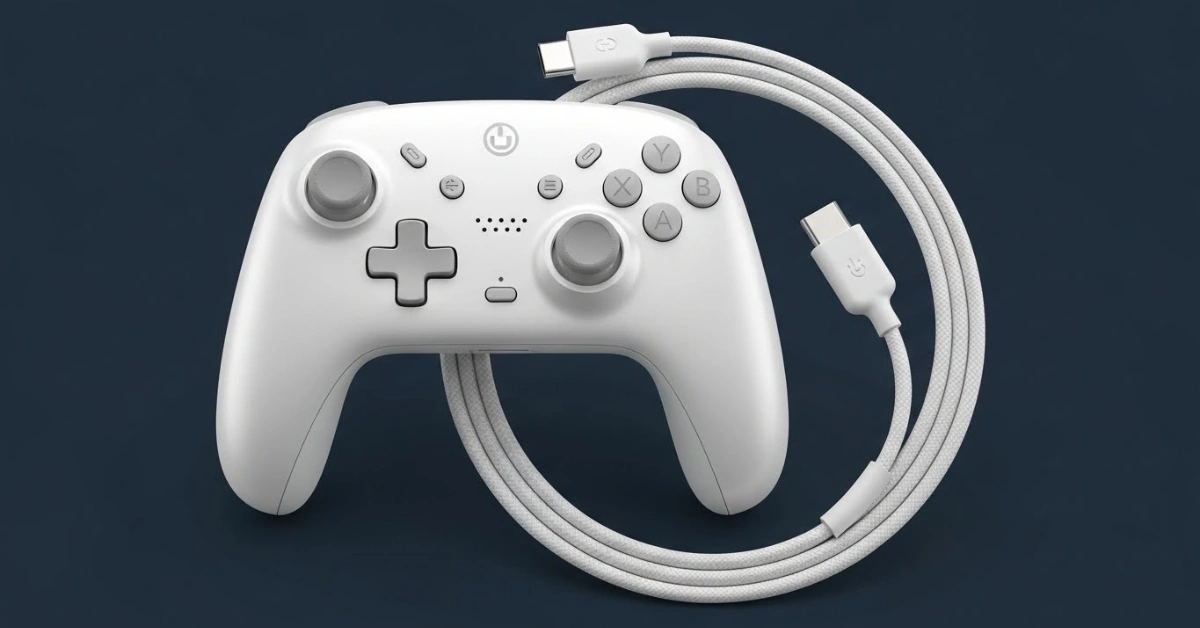
A controller tailored for smaller hands, the Compact Pro Gamepad features a narrower grip width and closely positioned joysticks. The button layout ensures minimal hand strain, and the responsive triggers make it a great choice for fast-paced games.
Key Highlights:
- Narrow grip for smaller hands
- Low-travel triggers
- Comfortable rubberized grips
Mini Arcade Stick Controller
For players who prefer arcade style without large hardware, the Mini Arcade Stick Controller brings high-precision buttons and a compact footprint. Its compact design is particularly suited for fighting games and retro titles.
Key Highlights:
- Classic arcade layout
- Compact size ideal for small hands
- Durable buttons with responsive tactile feedback
Wireless Lite Dual Controller
This lightweight, wireless controller maintains a friendly form factor while offering reliable Bluetooth connectivity. The rounded handles feel natural, and the ergonomic button spacing minimizes reach strain.
Key Highlights:
- Wireless Bluetooth connectivity
- Ergonomic design for extended play
- Long battery life
Adjustable Compact Pro Elite
This controller strikes a balance between premium features and comfort. Adjustable analog stick tension and remappable buttons let players fine-tune their control scheme, while the compact build ensures ease of use for smaller hands.
Key Highlights:
- Adjustable controls for customization
- Sturdy build quality
- Balanced weight distribution
How to Choose the Right Controller
Test Grip and Reach
If possible, try to physically hold a controller before buying. Check how your fingers rest on triggers, bumpers, and buttons. Your comfort during this simple test is often the best predictor of long-term satisfaction.
Consider Your Game Library
Different genres benefit from different controller designs. Fighting games and platformers may favor compact layouts with tight button clusters, while shooters might need responsive triggers and precise thumbsticks.
Wired vs. Wireless
Wireless controllers offer freedom of movement but may introduce slight input latency or require charging. Wired controllers provide consistent performance and are ideal for competitive gaming.
Budget and Longevity
Premium controllers provide high durability and advanced features, but mid-range models often deliver excellent value with fewer frills. Consider how much you’re willing to invest based on how often you play.
Customization and Accessibility Features
Remappable Buttons
Controllers that support button remapping allow players to assign functions to closer or easier-to-reach buttons. This is especially helpful for users with restricted reach or specific comfort needs.
Adjustable Trigger Stops
Trigger stops shorten the point at which a trigger is registered, reducing finger movement required for actions like firing or accelerating. This can enhance speed and reduce fatigue.
Vibrational Feedback Settings
Some controllers let you fine-tune vibration strength or turn it off entirely. Reducing vibration can lessen hand strain and improve comfort in longer sessions.
Tips for Better Gaming Comfort
1. Take Regular Breaks
Even the most ergonomic controller can’t prevent fatigue indefinitely. Follow the 20-minute rule take a short break every 20–30 minutes to stretch your hands and shake out tension.
2. Maintain Good Posture
How you sit impacts comfort. Keep your back supported and your wrists relaxed to reduce strain on your hands and shoulders.
3. Add Controller Accessories
Thumbstick extenders, grip sleeves, or textured skins can improve ergonomics and enhance comfort without needing a new controller.
Common Misconceptions About Controller Size
➡️One Size Fits All” Isn’t True
Controller design varies widely between brands and models. A controller that feels natural to one person may be uncomfortable for another. Prioritizing ergonomic fit over brand familiarity leads to better experiences.
➡️Smaller Isn’t Always Better
While compact controllers suit smaller hands, extremely tiny designs may sacrifice features or button spacing needed for certain games. Balance comfort with functional layout.
➡️Customization Beats Default Layouts
Even a well-designed controller benefits from customization features like remappable buttons or trigger adjustments. These options enhance usability for players with specific hand sizes.
Future Trends in Controller Design
Adaptive and Modular Controllers
The future might bring controllers with adjustable grips, swappable modules, or dynamic layouts that adapt to different hand sizes. These innovations aim to create truly personalized hardware.
AI-Powered Input Assistance
Controller firmware may begin integrating AI features that adapt responsiveness and sensitivity based on your play patterns — optimizing for comfort and performance over time.
Inclusive Design in Gaming
As awareness grows around diverse player needs, manufacturers are prioritizing accessibility. Expect more controllers with fine-tuned ergonomics and features designed to accommodate a wider range of users.
Conclusion
Gaming should be enjoyable, not uncomfortable. For players with smaller hands, choosing the right controller is an essential step toward better performance and long-lasting comfort. In 2026, a variety of PC-compatible controllers cater specifically to ergonomic needs offering compact designs, responsive layouts, and customization options that rival larger, bulkier counterparts.
By understanding key features like grip size, button placement, and adjustability, you can confidently choose a controller that feels natural and enhances your gameplay. Whether you’re a casual gamer or a competitive player, the right controller can make all the difference turning long sessions into fluid, fatigue-free play.