In 2026, mechanical keyboards are no longer judged only by switches and RGB lighting they must support workflows, creativity, and productivity. The Galleon-100 SD represents a new breed of keyboards designed around streamers and content creators, integrating dedicated control decks, macro support, and polished ergonomics. Whether you broadcast live, edit content, or juggle multiple media sources, a keyboard with built-in deck controls can make complex tasks smoother and more intuitive.
This comprehensive review breaks down the Galleon-100 SD’s features, performance, software integration, build quality, and how it truly performs in real-world streaming and gaming scenarios. You’ll also find buying advice and comparisons to traditional keyboards so you can decide if this keyboard is worth your investment.
An Overview of the Galleon-100 SD Keyboard
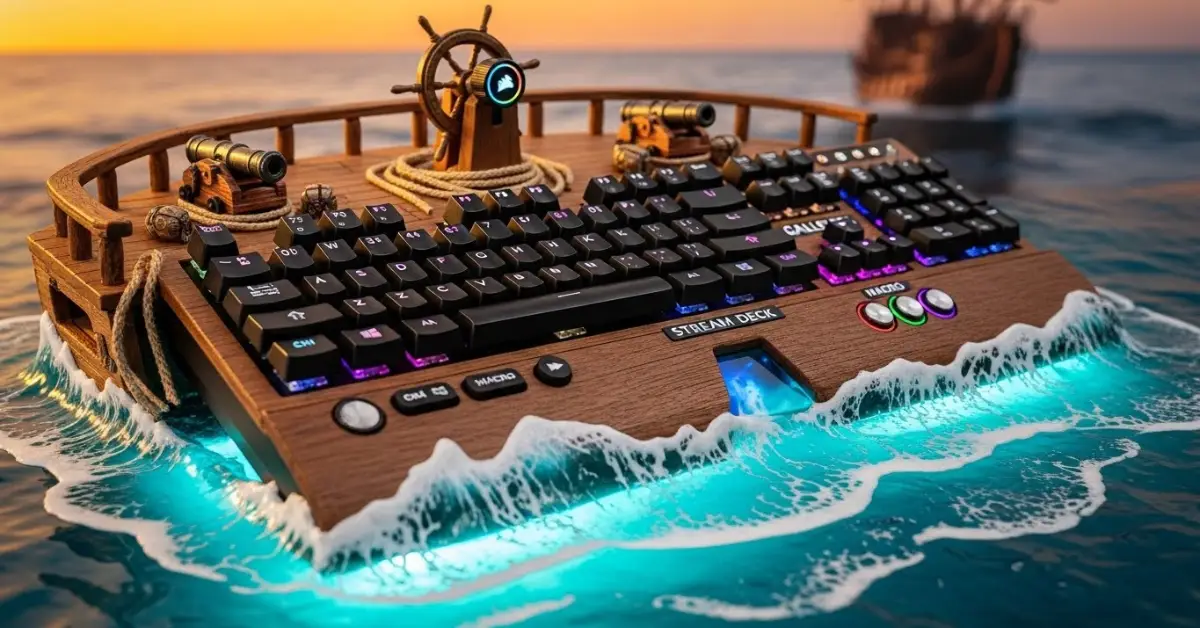
The Galleon-100 SD keyboard blends mechanical typing performance with multimedia control and customizable keys specifically designed for content creators and streamers. Its standout characteristic is the built-in control deck, which enables quick access to media playback, scene switching, live production tools, and macros, all without leaving your active window.
➡️Who It’s For
- Streamers wanting hardware shortcuts
- Content creators managing live production
- Gamers who multitask media and chat
- Creators seeking tactile typing with utility controls
Design and Build Quality
1. Premium Construction
The Galleon-100 SD features a sturdy chassis with a mix of anodized aluminum and durable plastic. This combination balances rigidity with manageable weight, making it suitable for desktop setups without wobbling during intense typing sessions.
2. Distinctive Control Deck Layout
Instead of traditional media keys, the keyboard includes a modifiable control deck positioned above the main key block. This deck enables quick access to volume adjustments, playback controls, and programmable actions, allowing creators to streamline repetitive tasks.
3. Keycap and Switch Options
A choice of tactile, linear, or clicky switches lets users tailor the typing experience. High-quality PBT keycaps add durability, resist shine over time, and feel premium under the fingertips.
Built-In Deck Controls | A New Workflow Paradigm
The true strength of the Galleon-100 SD lies in its on-board command suite, which merges convenience with functionality.
➡️Dedicated Media and System Controls
Instead of hidden functions or key combinations, the deck places media controls where you can reach them without disrupting your flow. Volume wheels, play/pause buttons, and mute toggles are physically present, making them ideal for live sessions.
➡️Macro and Scene Management
Content producers can assign complex action sequences — such as changing scenes, triggering audio cues, or starting/stopping recording — to specific deck buttons. This eliminates the need to switch windows or remember complicated hotkeys.
➡️Live Adjustments With Minimal Distraction
Whether you’re adjusting mic levels mid-stream or switching layouts during editing, these controls offer immediate feedback and flexibility, helping professionals stay in the moment.
Software Integration and Customization
1. Powerful Configuration Suite
The Galleon-100 SD integrates with intuitive software that allows users to:
- Remap keys and deck buttons
- Create and edit macros
- Link controls to applications
- Customize lighting profiles
This software achieves a balance between depth and ease of use, so beginners feel comfortable while advanced users have enough power for fine-tuning.
2. Cross-Application Compatibility
Whether you’re streaming with OBS, editing in DaVinci Resolve, or producing music, custom mappings and macros can streamline tasks tailored to your workflow.
3. Profile Management
Users can save multiple profiles, such as Streaming, Gaming, and Editing and switch between them on the fly or link them to specific applications.
Typing Performance and Daily Use
➡️Mechanical Switch Feel
The tactile feedback or smooth linear action elevates both gaming and typing. Productivity workloads like coding, writing, or chatting feel responsive and satisfying.
➡️Key Rollover and Anti-Ghosting
With full N-Key Rollover and anti-ghosting support, simultaneous keystrokes register accurately, essential for fast typists and complex macro use.
➡️Comfort and Ergonomics
The keyboard’s layout accommodates lean wrists and extended sessions with minimal fatigue. Detachable wrist support adds comfort for long creative workflows.
RGB Lighting and Aesthetics
Dynamic RGB Engine
RGB lighting is more than flair; it enhances usability. Reactive effects can link to media controls, notifications, or app statuses, unlike basic lighting setups that only flash for aesthetics.
Custom Lighting Profiles
Users can build lighting schemes tied to productivity modes, streaming modes, or gaming, helping visually cue different states without thinking.
Gaming Performance
Responsiveness and Precision
Mechanical keyboards remain a gold standard for competitive gameplay. Whether executing rapid combos or precise movements, input feels accurate and confident.
Macro Utility in Games
The deck can house macros for in-game commands where permitted. Assigning complex sequences to a single button can save time and simplify execution.
Media Control While In-Game
Gamers who stream or listen to music while playing will appreciate built-in volume and playback controls — no need to alt-tab out of fullscreen.
Comparisons to Traditional Keyboards
➡️Standard Layout vs. Streamlined Control Deck
Traditional keyboards rely on function layers or software menus to access commands. The Galleon-100 SD’s dedicated deck brings commands physically closer, reducing reliance on secondary menus and hotkeys.
➡️Built-In Controls vs. Modular Devices
External stream decks or macro pads require separate placement and cable management. With a built-in deck, everything stays centralized and efficient.
➡️Premium Features Without Premium Complexity
Some high-end keyboards add bloat in software or confusing menus. The Galleon-100 SD focuses on practical controls that improve productivity without steep learning curves.
Real-World Use Cases
1. Streamers and Live Producers
Streamers can use deck buttons to switch scenes, mute audio, or trigger overlays smoothly — all without interrupting the flow of the broadcast.
2 Video Editors and Creators
Programmers and editors can map timeline jumps, cut actions, or export functions to physical buttons, saving time and minimizing clicks.
3. General Productivity
Even outside of creative fields, users who multitask can assign window switching, copy/paste macros, and system commands to the deck for faster workflow navigation.
Pros and Cons
Pros
- Built-in deck provides quick access to controls
- Customizable keys and macros improve workflow
- Mechanical switches deliver lasting performance
- Software integrates with multiple applications
Cons
- Slight learning curve for new users
- Premium price compared with basic keyboards
- Some advanced features may be underused by casual users
Who Should Consider This Keyboard?
➡️Dedicated Streamers
Those who stream regularly benefit from immediate media and scene control without additional hardware.
➡️Content Creators & Editors
Video producers and editors who juggle complex workflows will see real-time savings from streamlined commands.
➡️Gamers Who Multitask
Gamers who balance music, chat, or streaming can take advantage of tactile controls without leaving gameplay.
Frequently Asked Questions (FAQs)
Conclusion
The Galleon-100 SD keyboard pushes the boundary of conventional keyboard design by integrating a built-in control deck tailored for creative workflows. Its combination of mechanical typing performance, dedicated media and macro controls, and versatile software makes it a compelling choice for streamers, editors, and multitasking gamers.
By placing essential commands at your fingertips and offering deep customization without complexity, this keyboard elevates productivity and responsiveness. Whether you’re managing a live broadcast, editing content, or enjoying competitive gameplay, intuitive hardware controls can transform how you work and play.