Nvidia Retracts GeForce 595.59 Drivers After Widespread Fan and Clock Speed Issues In a rare turn of events, Nvidia has released and then withdrawn its GeForce driver version 595.59 following a surge of issues reported by users worldwide. Gamers, creators, and PC enthusiasts noticed abnormal fan behavior, inconsistent thermal control, and clock speed limitations shortly after installing the update. This has prompted Nvidia to temporarily retract the drivers while it investigates and addresses the underlying problems. The company is advising affected users to restore prior stable drivers and monitor system performance until a fixed release becomes available.
This article explores what went wrong, why it matters, and how users can navigate this issue safely and responsibly. We also examine how graphics drivers impact performance and system health, and the best practices to avoid similar disruptions in the future.
1: What Are Graphics Drivers and Why They Matter
Graphics drivers are essential software that allow your operating system and applications to communicate with the graphics processing unit (GPU). These drivers are particularly critical for performance, stability, power management, and thermal behavior during intensive tasks such as gaming, rendering, and video editing.
2: The Role of Drivers in System Performance
A well-optimized driver ensures that the GPU performs efficiently under various workloads. It manages:
- Rendering tasks
- Power and thermal control
- Memory usage
- Interactions with software and applications
Any flaw in driver code can lead to instability, degraded performance, and even hardware stress. Because of this, driver updates are typically tested extensively before release.
3: Nvidia’s Standard Update Process
Major graphics hardware manufacturers regularly roll out driver updates to deliver:
- Enhanced game and application support
- Security patches
- Performance optimizations
- Bug fixes
These updates are usually delivered through official software interfaces or standalone installer packages.
4: How the 595.59 Driver Failed to Deliver Stability
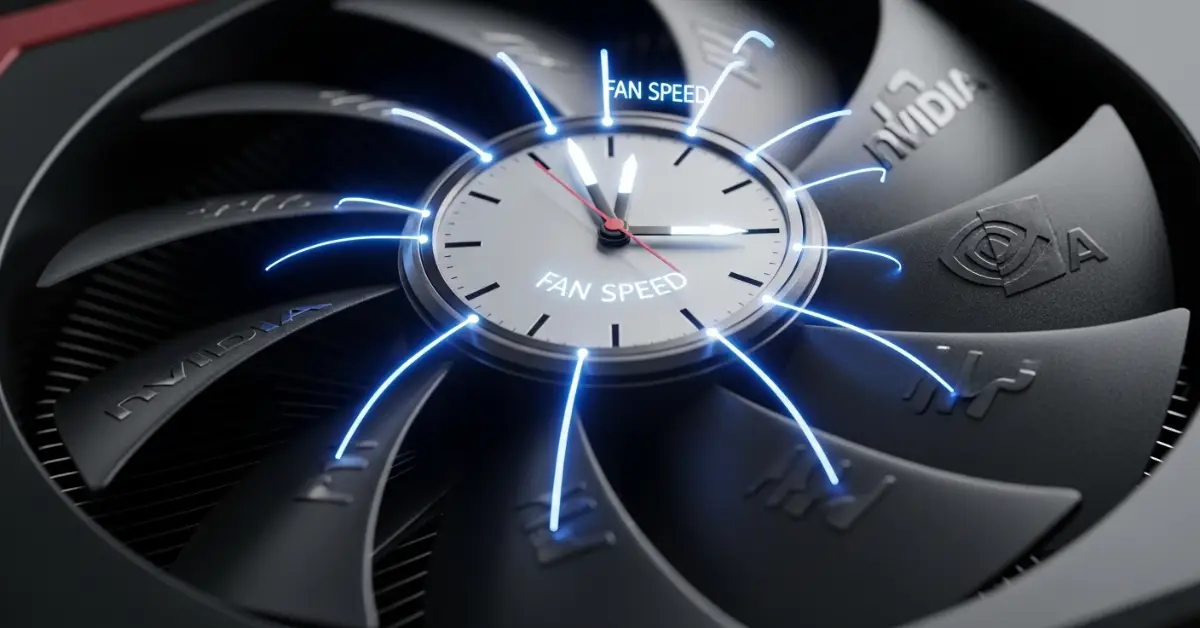
Just hours after the public rollout of the GeForce 595.59 driver, users began reporting concerning symptoms. The most widespread complaints included abnormal fan behavior and unexpected clock speed throttling. These issues affected a wide range of graphics cards across different series and generations.
5: Fan Control and Thermal Management Problems
The primary issue reported was inconsistent or missing fan control. Users found that:
- Fans stopped spinning unexpectedly
- Custom fan curves were ignored
- System sensors failed to report correct fan speeds
This malfunction can cause serious overheating under heavy load, leading to reduced performance or thermal throttling.
6: Clock Speed Restrictions and Performance Loss
Another major concern was clock speed limitations. In some cases, the GPU was unable to reach its expected operating frequencies, resulting in:
- Lower performance in games and applications
- Unstable behavior during demanding tasks
- Unexpected throttling under load
Users noticed that their systems were not maximizing the GPU’s potential even when cooling and power delivery were sufficient.
7: Nvidia’s Response and Official Guidance
In response to the influx of complaints, Nvidia took the unusual step of withdrawing the 595.59 driver from official distribution channels. The company acknowledged that a bug had been detected that could impact fan monitoring and performance behavior.
8: Temporary Removal of the Driver
Nvidia has paused the rollout of the affected driver and recommended that users revert to the prior stable version. While the company investigates the root cause of these issues, the updated driver package is no longer available for download through official portals.
9: Advising Rollback for Stability
Users experiencing disrupted fan control or reduced performance are urged to uninstall the problematic driver and reinstall the previous version known to be stable. This can help:
- Restore proper thermal management
- Return GPU clock speeds to expected levels
- Prevent possible hardware stress
Users have reported improved system behavior after rolling back from the 595.59 package.
10: Understanding the Importance of Thermal and Clock Controls
Proper fan control and clock speed management are not merely convenience features — they are vital to maintaining system health and performance. Modern GPUs generate significant heat while processing dense graphics workloads, and cooling must adapt dynamically to maintain safe operating temperatures.
11: Thermal Management and Hardware Longevity
GPU fans and cooling systems are designed to adapt based on workload and temperature thresholds. A failure in fan control can cause:
- Sustained high temperatures
- Reduced lifespan of GPU components
- Increased risk of disconnections or thermal throttling
Timely cooling adjustments help preserve both performance and hardware health over time.
12: Clock Speed Stability and Performance Output
GPU clock speeds determine how fast the core processes rendering and computation tasks. Any artificial cap can reduce:
- Frame rates in games
- Efficiency in GPU-accelerated applications
- Overall responsiveness under load
Ensuring accurate clock behavior is essential for consistent performance, particularly in professional workflows and competitive gaming scenarios.
13: What Users Should Do Now
If your system has already installed the 595.59 driver and is showing unusual behavior, it’s important to take careful steps to safeguard performance and hardware integrity.
14: Rolling Back to a Stable Driver
The simplest solution is to remove the problematic driver and reinstall a prior stable package. This can be done via:
- Official driver software interface
- Manual download and installation of the previous release
Ensuring your GPU returns to normal operating characteristics is the priority.
15: Monitoring System Health
After rollback, users should monitor:
- Fan activity and speed
- Temperature readings under load
- Clock speed behavior in performance applications
Tools available within your operating system or third-party applications can help verify that your GPU is functioning as expected.
16: Broader Lessons for System Management
This incident highlights broader best practices for managing graphics hardware and driver updates.
17: Wait Briefly for Early Bug Reports
While it’s understandable to want the latest updates immediately, waiting a short period for early user feedback can help avoid problematic installs. Initial release versions may contain unforeseen issues that only surface under large-scale use.
18: Maintain Stable Backups and Restore Points
Creating system restore points before major updates is a simple but effective way to ensure you can revert quickly if issues arise.
19: Use Official Sources Only
Always obtain drivers and system updates from official manufacturer portals or through verified update tools. Third-party sources can host outdated or modified installation packages.
20: What Happens Next
Nvidia is actively investigating the root cause of the fan control and clock speed issues observed with the 595.59 drivers. Once identified, the company will likely release a corrected driver package that resolves these shortcomings without compromising performance or stability.
Until then, rolling back and monitoring system performance is the safest course of action.
Users are encouraged to follow official channels for announcements on revised driver releases and updates.
Final Thoughts
The retraction of the GeForce 595.59 driver underscores the importance of rigorous testing and user feedback in software updates. While driver advancements aim to improve performance and compatibility, even well-tested updates can sometimes have unintended consequences when deployed at scale. Nvidia’s decision to retract the release reflects a commitment to system reliability and user experience.
For professionals and enthusiasts alike, maintaining stable driver environments and monitoring system health remains essential. With careful management and awareness, users can navigate updates effectively while ensuring optimal performance and hardware longevity.