Introduction
Users are reporting MSI’s yellow-tipped GPU power cables are sneaking out of place, and this growing concern is drawing serious attention from PC builders, gamers, and hardware professionals alike. Power delivery is one of the most critical aspects of modern graphics cards, and even minor connection issues can lead to overheating, instability, or permanent hardware damage.
With high-wattage GPUs becoming more common, cable design and connector security are no longer minor details. Reports indicate that MSI’s yellow-tipped GPU power cables, designed as a visual safety indicator, may actually be contributing to connection problems rather than preventing them. This article explores what users are experiencing, why it matters, and how GPU owners can protect their systems.
Understanding MSI’s Yellow-Tipped GPU Power Cable Design
What Are Yellow-Tipped GPU Power Cables?
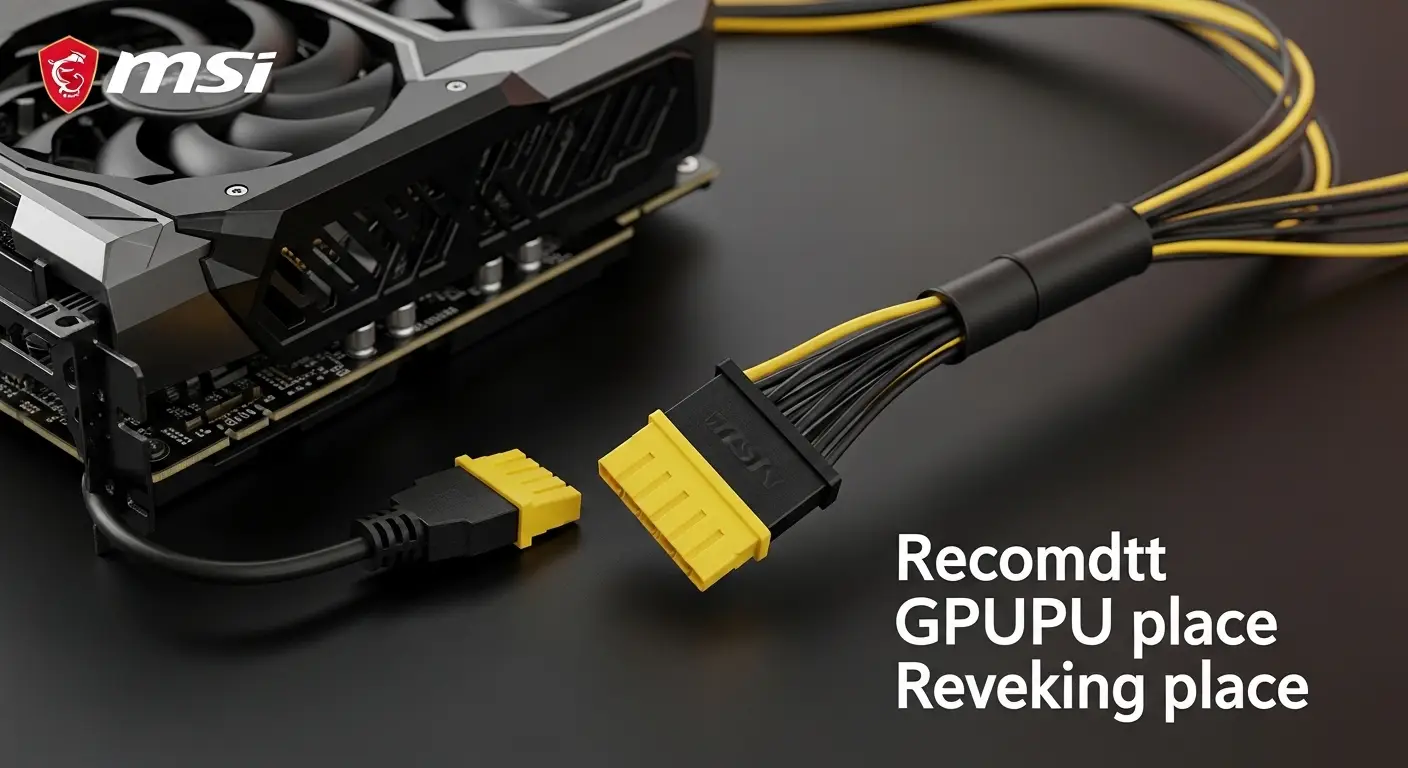
MSI introduced yellow-tipped GPU power cables to help users visually confirm proper insertion. The idea was simple: if yellow is visible, the connector is not fully seated. If the yellow tip disappears, the cable is securely connected.
In theory, this design helps prevent partially connected power cables, a known cause of overheating and melting issues in modern GPUs.
Why This Design Exists
Modern graphics cards demand significantly more power than older generations. A slight gap in the connector can create resistance, heat buildup, and voltage instability. MSI’s visual cue aimed to reduce human error during installation, especially for first-time builders.
However, real-world user reports suggest the solution may not be working as intended.
Users Are Reporting MSI’s Yellow-Tipped GPU Power Cables Are Sneaking Out of Place
Common Complaints From Users
Across forums, social media, and tech communities, users are reporting MSI’s yellow-tipped GPU power cables are sneaking out of place even after appearing fully connected. The most frequent complaints include:
- Cables slowly backing out over time
- Yellow tips reappearing after normal system use
- Secure connections loosening due to cable tension
- No audible “click” confirming a locked connection
These issues often go unnoticed until users visually inspect their systems or experience unexpected GPU behavior.
Why This Is a Serious Concern
A power cable that sneaks out of place may still deliver electricity, but not safely. Partial connections can lead to:
- Excessive heat at the connector
- GPU throttling or instability
- Sudden system shutdowns
- Long-term connector or PCB damage
In worst-case scenarios, poor power contact can permanently damage the graphics card.
Potential Causes Behind the Cable Movement Issue
Cable Stiffness and Tension
One of the most cited issues is cable stiffness. High-capacity GPU power cables are thicker and less flexible. When routed inside compact PC cases, tension may pull against the connector, gradually loosening it.
Connector Locking Mechanism Limitations
Some users report that the locking mechanism does not engage firmly. Without a strong mechanical lock, vibrations from fans, thermal expansion, or minor movement can cause the cable to shift.
Case Design and GPU Orientation
Vertical GPU mounting, tight side panels, and limited clearance can place constant pressure on the cable. Over time, this pressure may cause the yellow-tipped connector to creep outward.
Risks Associated With a Partially Seated GPU Power Cable
Overheating and Connector Damage
Poor contact increases electrical resistance. Resistance creates heat, and heat is the enemy of long-term GPU reliability. Even if no immediate failure occurs, repeated heat exposure weakens connectors.
Performance Instability
Users may experience random crashes, black screens, or sudden FPS drops. These issues are often misdiagnosed as driver problems when the root cause is power instability.
Warranty and Repair Concerns
Damage caused by improper power connections may not always be covered under warranty. This makes early detection and prevention critical for protecting expensive hardware investments.
How to Check If Your GPU Power Cable Is Secure
Visual Inspection
- Ensure no yellow tip is visible
- Confirm the connector sits flush with the GPU port
- Check after moving or cleaning your PC
Physical Confirmation
- Gently press the connector until it feels firmly seated
- Avoid excessive force
- Listen for or feel a locking engagement
Monitor Temperatures and Stability
Unexpected temperature spikes or instability can be early warning signs of a loose power connection.
Best Practices to Prevent Cable Movement
Improve Cable Routing
Route cables with minimal tension. Avoid sharp bends near the connector, and use cable management points to reduce pull.
Use Support Brackets or Cable Guides
Supporting the cable’s weight can prevent gradual movement. Simple brackets or clips can make a noticeable difference.
Recheck Connections Regularly
Especially after transporting your PC or upgrading components, always recheck GPU power connections.
What This Means for Future GPU Power Designs
The Importance of Mechanical Security
Visual indicators alone are not enough. Strong locking mechanisms and flexible cable designs are essential for modern high-power GPUs.
User Feedback Driving Design Improvements
As users are reporting MSI’s yellow-tipped GPU power cables are sneaking out of place, manufacturers are being pushed to rethink how power connectors are engineered for safety and reliability.
Conclusion:
Users are reporting MSI’s yellow-tipped GPU power cables are sneaking out of place, and this issue highlights a broader challenge in modern GPU power delivery. While the yellow tip was designed to improve safety, real-world use shows that cable tension, case layout, and connector design all play critical roles.
For users, awareness is the best defense. Regular inspections, proper cable management, and early detection can prevent serious GPU damage. As graphics cards continue to demand more power, connector reliability will remain a top priority for both manufacturers and consumers.
Staying informed and proactive ensures your system remains safe, stable, and performing at its best.