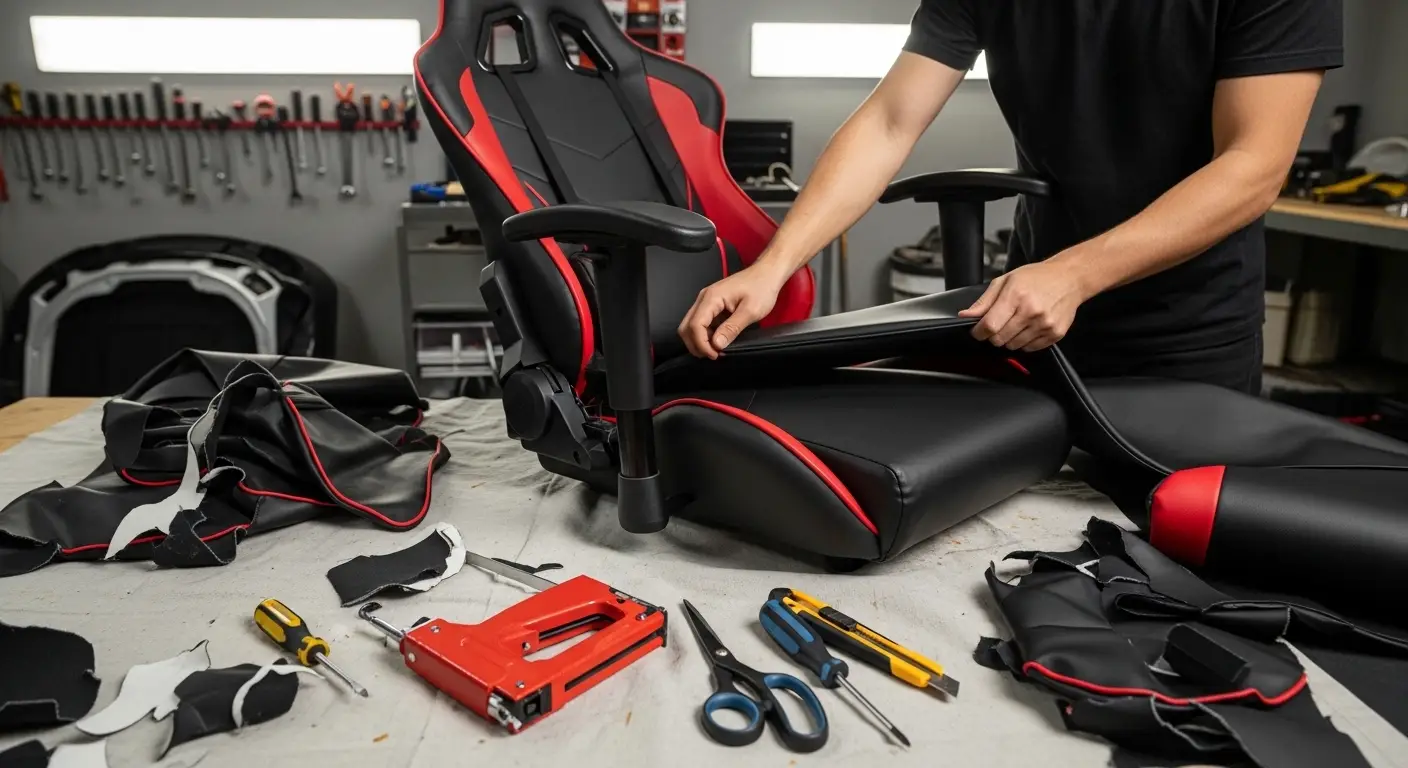
How to Reupholster a Gaming Chair
Gaming chairs are built for comfort, but over time the fabric can peel, tear, or lose its original appeal. Instead of replacing the entire chair, reupholstering is a cost-effective way to restore comfort, improve appearance, and extend its lifespan.
If you’re searching for how to reupholster a gaming chair, this guide explains the entire process in a clear, practical, and beginner-friendly way.
Why Reupholster a Gaming Chair Instead of Replacing It?
Reupholstering a gaming chair offers several benefits:
- Saves money compared to buying a new chair
- Allows full customization of color and material
- Restores comfort by replacing worn foam
- Extends the chair’s usable life
- Reduces waste and supports sustainability
With basic tools and patience, you can achieve professional-looking results at home.
Tools and Materials Needed to Reupholster a Gaming Chair
Before starting, gather everything you’ll need to avoid interruptions.
Essential Tools
- Screwdriver set
- Staple gun and staples
- Scissors or fabric cutter
- Pliers
- Marker or chalk
Upholstery Materials
- Upholstery fabric or synthetic leather
- High-density foam (optional, for added comfort)
- Spray adhesive
- Batting (optional for smoother finish)
Choosing quality materials makes a noticeable difference in durability and comfort.
How to Reupholster a Gaming Chair Step by Step
Step 1: Disassemble the Gaming Chair
Start by carefully disassembling the chair.
- Remove the seat from the base
- Detach armrests, backrest, and headrest
- Keep screws organized and labeled
Taking photos during disassembly can help during reassembly later.
Step 2: Remove the Old Upholstery
Once disassembled:
- Flip the chair parts upside down
- Use pliers to remove staples or clips
- Gently peel off the old fabric or leather
Try not to damage the foam underneath unless you plan to replace it.
Step 3: Inspect and Replace Foam if Needed
Check the foam padding for sagging or cracks.
- Replace damaged foam with high-density foam
- Cut foam to match the original shape
- Attach foam using spray adhesive
This step greatly improves seating comfort and posture support.
Step 4: Use Old Fabric as a Template
Lay the removed upholstery flat and use it as a pattern.
- Place it over the new fabric
- Trace outlines with chalk or marker
- Cut with extra allowance for stretching
Accurate cutting helps achieve a clean, professional finish.
Step 5: Attach the New Upholstery Fabric
This is the most important step when learning how to reupholster a gaming chair.
- Stretch fabric evenly over foam
- Start stapling from the center outward
- Keep fabric tight to avoid wrinkles
- Trim excess material as needed
Work slowly to maintain symmetry and tension.
Step 6: Reassemble the Chair
Once upholstery is secured:
- Reattach chair components carefully
- Tighten screws firmly but not excessively
- Check alignment and stability
Make sure all moving parts function smoothly before use.
Best Fabric Choices for Reupholstering a Gaming Chair
Selecting the right material impacts comfort and durability.
Popular Upholstery Options
- PU leather: Easy to clean, gaming-style look
- Genuine leather: Premium feel, long-lasting
- Mesh fabric: Breathable and cool
- Microfiber: Soft, durable, and stain-resistant
Choose fabric based on your climate, usage time, and maintenance preference.
How Long Does It Take to Reupholster a Gaming Chair?
Time varies depending on experience and chair complexity:
- Beginner: 4–6 hours
- Intermediate DIY: 2–4 hours
- Experienced upholsterer: 1–2 hours
Taking your time improves results and reduces mistakes.
Cost Breakdown: Reupholstering vs Buying New
Reupholstering is often far more affordable.
- Fabric and foam: Low to moderate cost
- Tools: One-time investment
- New gaming chair: Significantly higher cost
In most cases, reupholstering costs a fraction of buying a replacement.
Common Mistakes to Avoid When Reupholstering
Avoid these issues for best results:
- Not stretching fabric evenly
- Using low-quality staples
- Cutting fabric too small
- Skipping foam inspection
- Rushing the process
Patience and preparation are key.
Maintenance Tips After Reupholstering
To keep your gaming chair looking new:
- Clean regularly with suitable cleaners
- Avoid direct sunlight exposure
- Tighten screws periodically
- Use armrest covers if needed
Proper care can extend upholstery life for years.
Is Reupholstering a Gaming Chair Worth It?
Yes—especially if the frame and mechanics are still solid. Reupholstering gives you full control over style, comfort, and materials while saving money and reducing waste.
For gamers, streamers, and home office users, it’s a practical and rewarding DIY upgrade.
Final Thoughts
Learning how to reupholster a gaming chair empowers you to refresh your setup without expensive replacements. With the right tools, fabric, and step-by-step approach, you can achieve professional results at home.
Whether your goal is comfort, aesthetics, or durability, reupholstering is a smart and sustainable solution.
If you want, I can:
- Rewrite this for even stronger SEO intent
- Add FAQ schema-ready questions
- Customize it for leather or mesh chairs only
- Optimize it for featured snippets