Memory (RAM) pricing has been volatile in recent years, with rising costs and supply bottlenecks frustrating PC builders and gamers alike. One creative idea gaining traction within tech communities is the concept of DIY DDR5 memory assembly where enthusiasts build or rework their own high-speed RAM modules. While not yet mainstream, this approach highlights how creative solutions might help ease memory shortages and even reduce costs.
In this extensive guide, we’ll explore the principles behind DDR5 design, what it takes to assemble or customize memory modules, the risks involved, and whether DIY DDR5 is a viable option for most users. Whether you’re a hardware tinkerer or a curious builder, this article will provide expert insights, practical steps, and a realistic perspective on the future of DIY memory.
Why DDR5 Memory Matters in Modern PCs
1. Performance Gains Over DDR4
DDR5 memory delivers improvements in bandwidth, efficiency, and overclocking headroom compared to DDR4. These advantages translate into faster data access, smoother multitasking, and better performance in demanding applications like video editing, 3D rendering, and gaming.
2. Performance Gains Over DDR4
DDR5 memory delivers improvements in bandwidth, efficiency, and overclocking headroom compared to DDR4. These advantages translate into faster data access, smoother multitasking, and better performance in demanding applications like video editing, 3D rendering, and gaming.
3. The Appeal of DIY Memory
DIY DDR5 isn’t intended to replace commercial manufacturing, but it highlights how enthusiasts could learn from module design, chip selection, and power regulation. For some builders, the idea of customizing or assembling RAM at home offers both educational value and the possibility of bypassing supply constraints.
Understanding DDR5 Memory Architecture
Before attempting any DIY memory project, it helps to understand how DDR5 modules are constructed and why they are more complex than earlier generations.
➡️Key DDR5 Innovations
- On-Die ECC (Error Correction): DDR5 includes built-in error correction on the chip level, which improves stability.
- Higher Speed Bins: DDR5 supports higher native frequencies, enabling superior performance.
- Power Management: DDR5 shifts voltage regulation from the motherboard to the DIMM itself, requiring smarter circuitry on the module.
These features contribute to DDR5’s enhanced performance, but also add complexity to module design.
➡️Components of a DDR5 Module
A DDR5 memory stick typically includes:
- Memory chips (ICs) — the core storage elements
- Power Management IC (PMIC) — handles voltage regulation
- PCB (Printed Circuit Board) — routes signals and power
- SPD (Serial Presence Detect) chip — stores module data for compatibility
Each of these parts must be carefully matched and assembled for a functional memory module.
Is DIY DDR5 Memory Feasible?
1. Technical Barriers
Unlike building a PC from off-the-shelf components, assembling memory requires precision manufacturing. The challenges include:
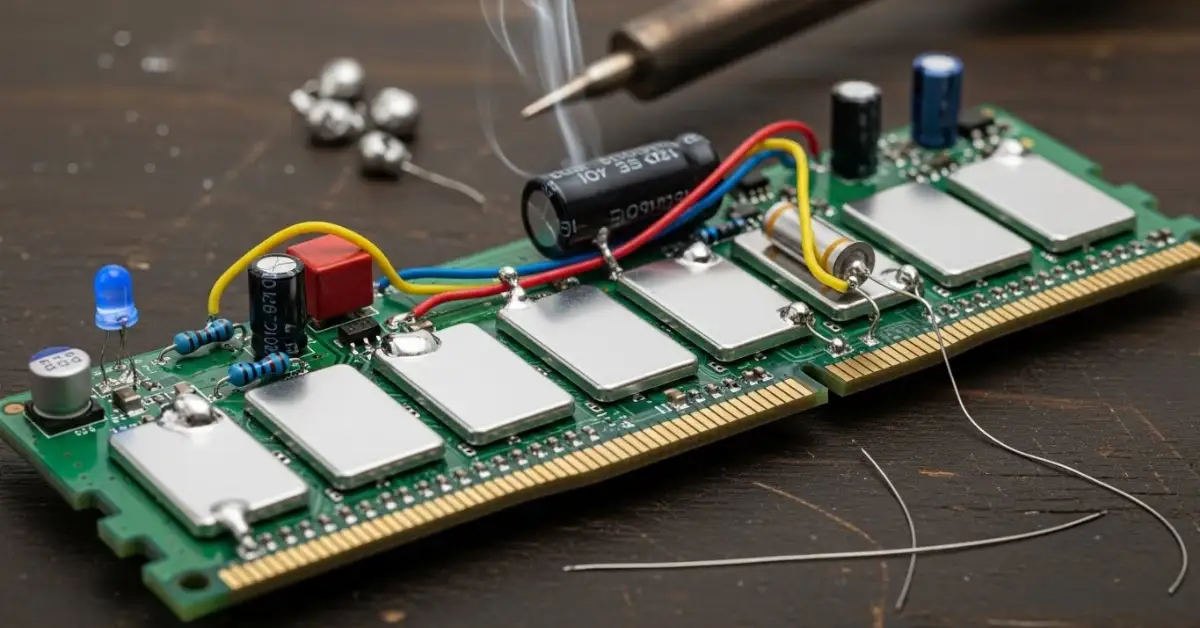
- Fine-pitch soldering: DDR5 chips are extremely small, with tiny contact points that require specialized tools to solder accurately.
- PCB design and trace matching: High-speed memory signals demand exact trace lengths and impedance control — a task typically handled by professional fabrication.
- Power stability: The integrated PMIC must be placed and configured correctly to avoid instability or damage.
2. Knowledge Requirements
Building DDR5 memory from scratch requires a deep understanding of electrical engineering, signal integrity, and memory controller behavior. Without this expertise, modules may not function at all, or could cause system instability.
3. DIY as a Learning Exercise
While full DIY assembly may remain out of reach for most builders, studying DDR5 architecture and experimenting with reworking existing modules can provide valuable insights into how memory works and why high-end kits command premium prices.
How Enthusiasts Can Approach Memory Customization
Though fully building a DDR5 module from parts isn’t practical for most, there are DIY activity categories that are safer and more accessible:
➡️Manual Heatsink and Cooling Enhancements
One common modification involves:
- Removing and replacing stock heatsinks
- Adding custom thermal pads or heat spreaders
- Using active cooling for improved thermal performance
These steps enhance stability and cooling without altering core circuitry.
➡️XMP/EXPO Profile Tweaking
Many high-performance RAM kits ship with XMP (Intel) or EXPO (AMD) profiles that automatically optimize speed and timings. Tuning profiles manually in BIOS can improve performance while understanding how timing and voltage interact.
➡️Chip Swapping and Binning (Advanced)
Experienced modders sometimes experiment with:
- Swapping memory chips from higher-binned kits
- Testing different configurations for stability
- Selecting ICs that overclock better
This is riskier and requires tools for safe chip removal and soldering, so it’s only recommended for experienced hobbyists.
Tools and Equipment for Memory DIY Projects
If you plan to explore any form of memory customization, these tools are commonly used by enthusiasts:
1. Precision Soldering Station
A quality soldering setup with fine tips is essential for reworking components. Temperature control and ESD precautions are crucial.
2. Thermal Imaging Tools
Understanding how heat spreads across a module can inform cooling enhancements.
3. Diagnostic Hardware
A system with memory testing tools like MemTest86 helps verify stability after any modification.
4. Firmware and Timing Utilities
Software such as BIOS tuning tools enables safe experimentation with memory timings.
Potential Risks and Precautions
DIY memory work carries real risks, including:
➡️Voiding Warranties
Modifying or reworking RAM typically voids manufacturer warranties. Be prepared to accept this before tinkering.
➡️Hardware Damage
Incorrect soldering, overvoltage, or poor signal design can permanently damage memory or the motherboard.
➡️System Instability
Even if a DIY module boots, timing issues or signal mismatches can cause crashes, blue screens, or data corruption.
➡️Safety Practices
- Use anti-static wrist straps
- Work in a clean, well-lit area
- Start with inexpensive modules before experimenting with high-end kits
Alternatives to DIY Memory Assembly
For most users, there are safer and more practical ways to reduce memory costs or improve performance:
1. Buying Last-Generation RAM
As DDR5 prices shift, previous generation high-speed kits may offer excellent performance at lower prices.
2. Market Deals and Bundles
Sales events, retailer bundles, and refurbished memory kits can help stretch your budget.
3. Capacity Over Speed
In many workloads, more memory (e.g., 32 GB vs. 16 GB) has a greater impact than marginal speed gains making capacity upgrades a better value for many users.
The Future of DIY and Memory Innovation
➡️Accessibility of Advanced Tools
As technology advances, hobby-grade tools may become more affordable, enabling deeper experimentation in memory build and customization.
➡️Community-Driven Projects
Open-source hardware communities continue to explore modular memory designs, shared PCB layouts, and collaborative experimentation.
➡️AI and Automated Timing Optimization
Emerging software tools could help automate memory tuning, making performance optimization easier without manual BIOS tweaking.
Frequently Asked Questions (FAQs)
Conclusion
DIY DDR5 memory assembly is an exciting idea on paper, but the practical barriers from advanced PCB design to fine-scale soldering and signal integrity make it out of reach for most builders. However, this concept highlights the complexity behind modern memory design and why current pricing reflects that engineering investment.
Rather than building DDR5 from scratch, enthusiasts can explore safe and impactful modifications like enhanced cooling, memory timing optimization, and smart component selection. These approaches improve performance and deepen your understanding of memory architecture without undue risk.
As tools, community projects, and software optimization continue to evolve, accessible memory experimentation might become more practical — but for now, a blend of knowledgeable tweaking and wise purchasing remains the best path forward for most PC builders.